
Send treatment information to patients directly from your Practice Management Software (PMS) using CoTreat’s integrated workflow. This allows you to quickly share images, findings, and (when appropriate) treatment items—without extra admin.
CoTreat packs help patients understand their options, stay engaged, and take the next step with confidence.
Table of Contents:
🎥 Prefer to watch instead? A short walkthrough video is available here.
Sending a CoTreat pack
Use this workflow when your PMS is integrated with CoTreat.
1. Select the patient
-
Go to Synced Patients
-
Select the relevant patient
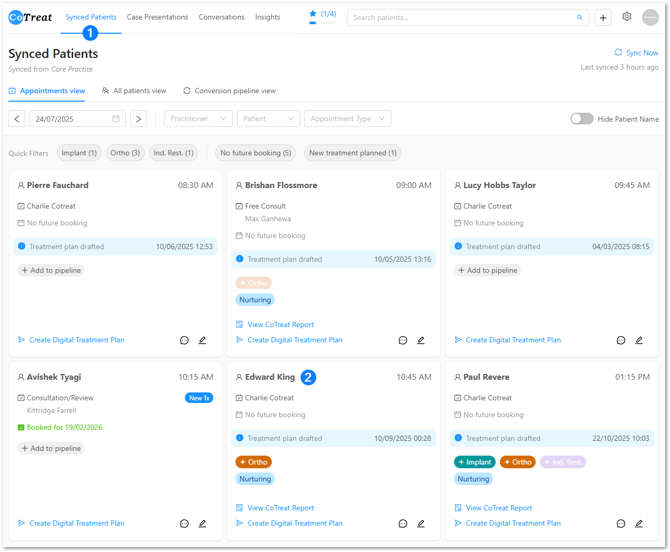
2. Add Images or Treatment Codes
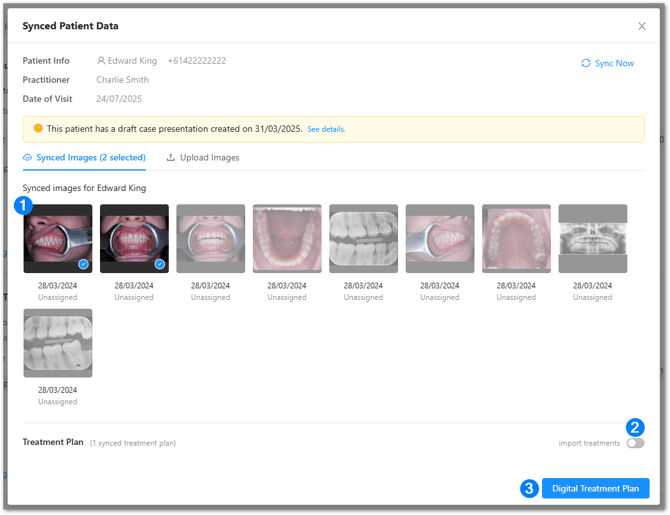
From the synced patient view, choose the information you want to send:
-
Images
Select X-rays, photos, or other available imaging-
If data isn’t visible yet, click Sync Now
-
-
Treatments (optional)
-
Ensure Import treatments is toggled on
-
Select, create, or adjust treatment items as needed
-
💡 You don’t need to include item codes or pricing for every patient.
For early conversations or check-ups, it’s often more effective to send images and information only.
3. Add Pack/Treatment Information
The Note to Patient is where you explain why the information matters.
Use this space to highlight:
-
The type of treatment or option discussed
-
Why it’s relevant to the patient
-
Key findings or next steps
Ways to add a note
You can choose what works best for your workflow:
-
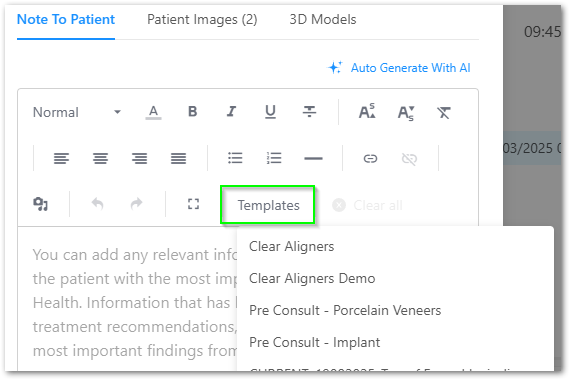
Templates
Use CoTreat’s starter templates or your own branded designs-
Templates can include images or graphics created in tools like Canva or Photoshop
-
Upload as PNG or JPEG and reuse across patients
-
- Auto-generate with AI
Instantly converts treatment items into patient-friendly language
You can edit the wording before sending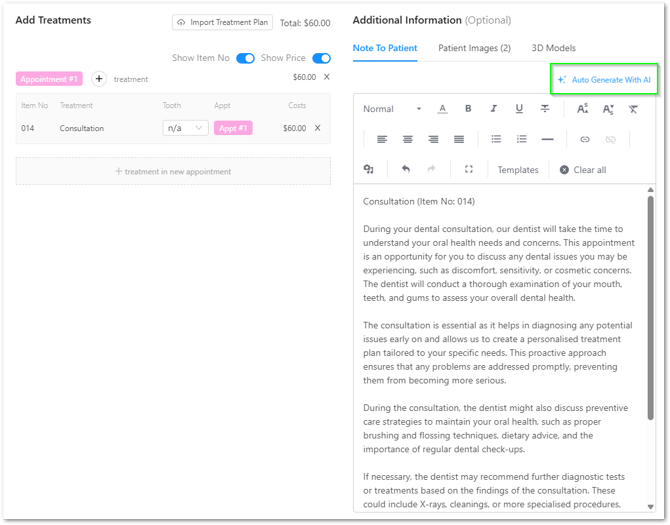
- Free text
Type directly or paste from dictation
(Save commonly used notes as templates)
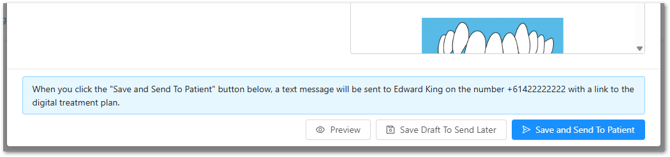
4. Preview, Send or Save as a draft
Once everything is ready:
-
Click Preview to review the patient experience
-
Choose one of the following:
-
Save and Send to Patient
-
Save Draft to Send Later
-
Patients receive an SMS with a secure link to view their pack on their phone.
Best practice tips
-
Tell patients they’ll receive information via SMS before sending
(This drives open rates of 75-90%) -
Use CoTreat packs to support conversations-not replace them
-
Start simple
Share awareness first, then add detail when the patient is ready -
Follow up using pack status and view activity
You can see whether a patient has opened the pack, how long they viewed it, and what they looked at
Still need help?
Contact the CoTreat team for guidance, we're here to help.